Features

Custody documentation features built around the record

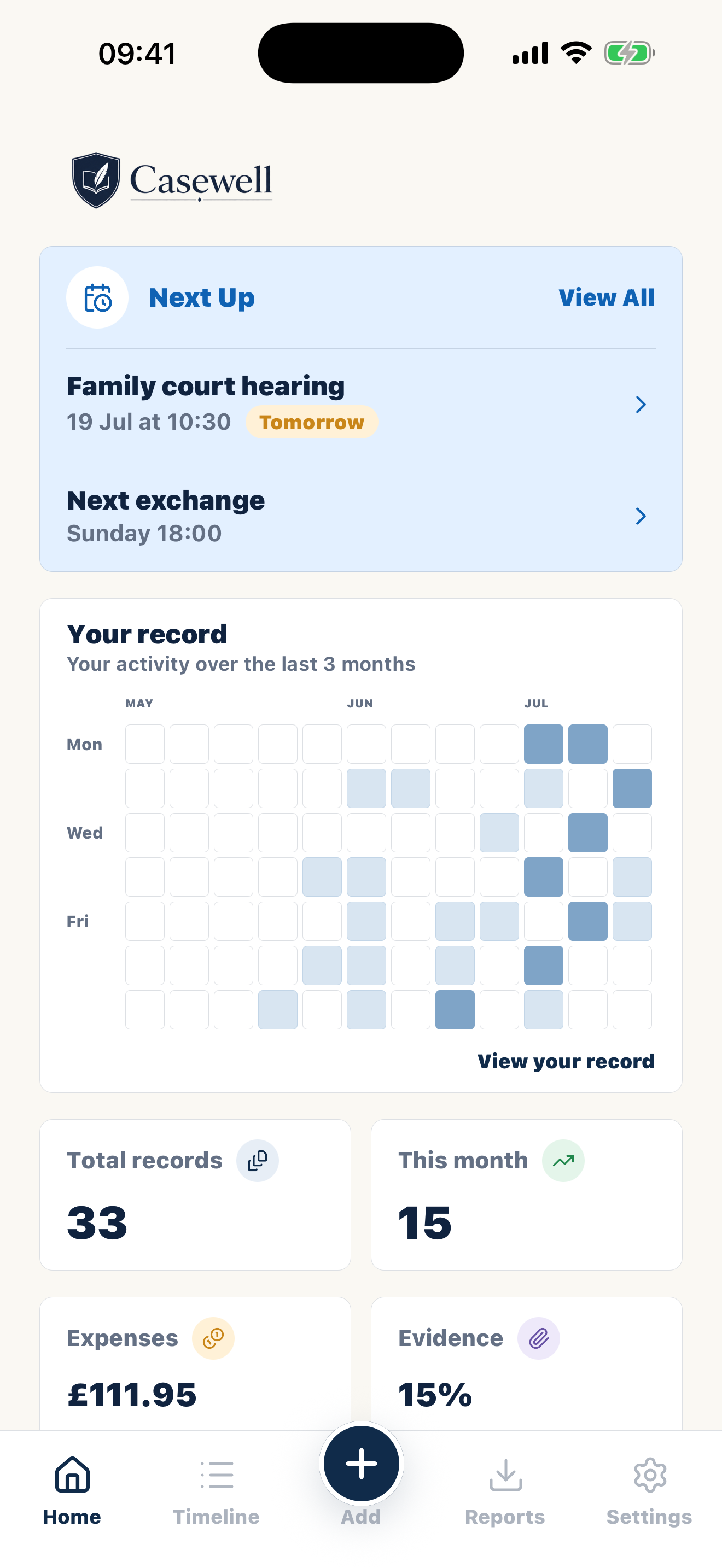
Casewell brings the parts of a useful custody record into one private workflow: capture what happened, separate fact from interpretation, connect supporting material and export only what is relevant.

Custody documentation features built around the record

Core capabilities

Each feature solves a specific documentation problem.

Focused reports for professional review

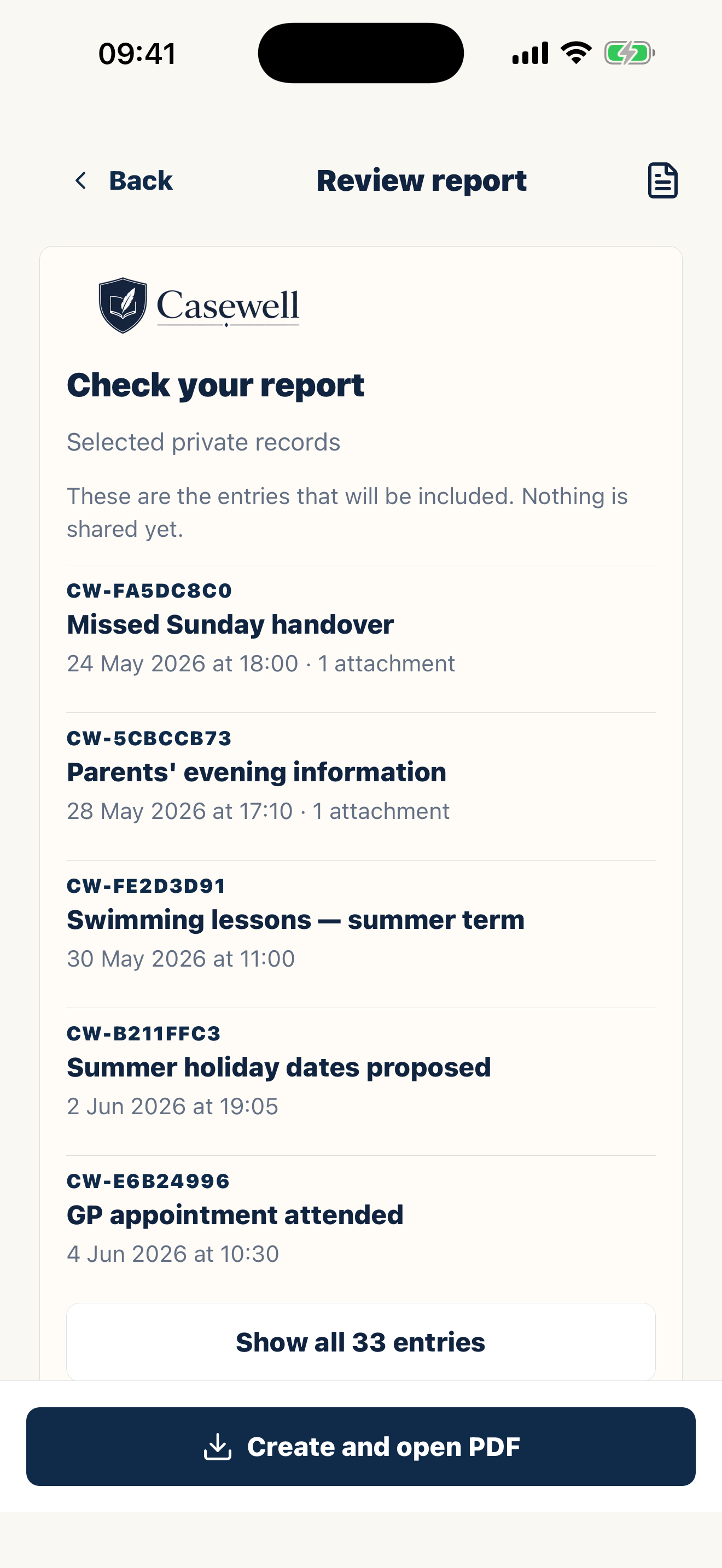
Choose the records that matter and create a readable PDF with event dates, saved revisions and linked supporting material, ready to take into a conversation with a solicitor, mediator or other professional.

Select relevant events and create a focused PDF for a solicitor, mediator or other professional.

Searchable timelineSaved entry historyEvidence beside the event
Focused reports for professional review

Structured entries

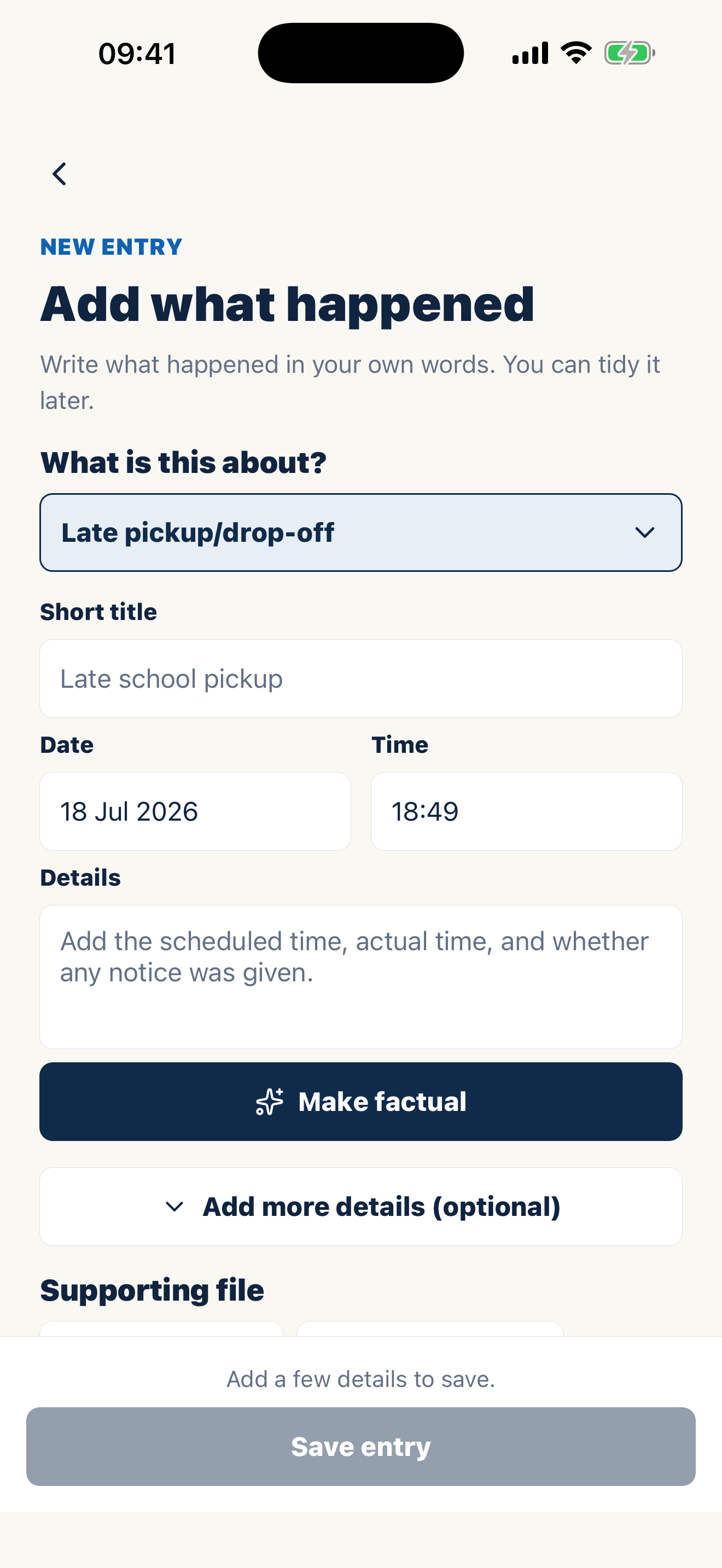
Record the event type, title, date, time, child and practical details in consistent fields, so important context is less likely to be missed.

Capture dates, times, children and practical details in consistent fields.

Optional factual rewrite

Start in your own words, then use Make factual to produce a clearer, more neutral draft. The original remains available and you decide whether to accept the change.

Create clearer wording while keeping your original note.

Searchable timeline

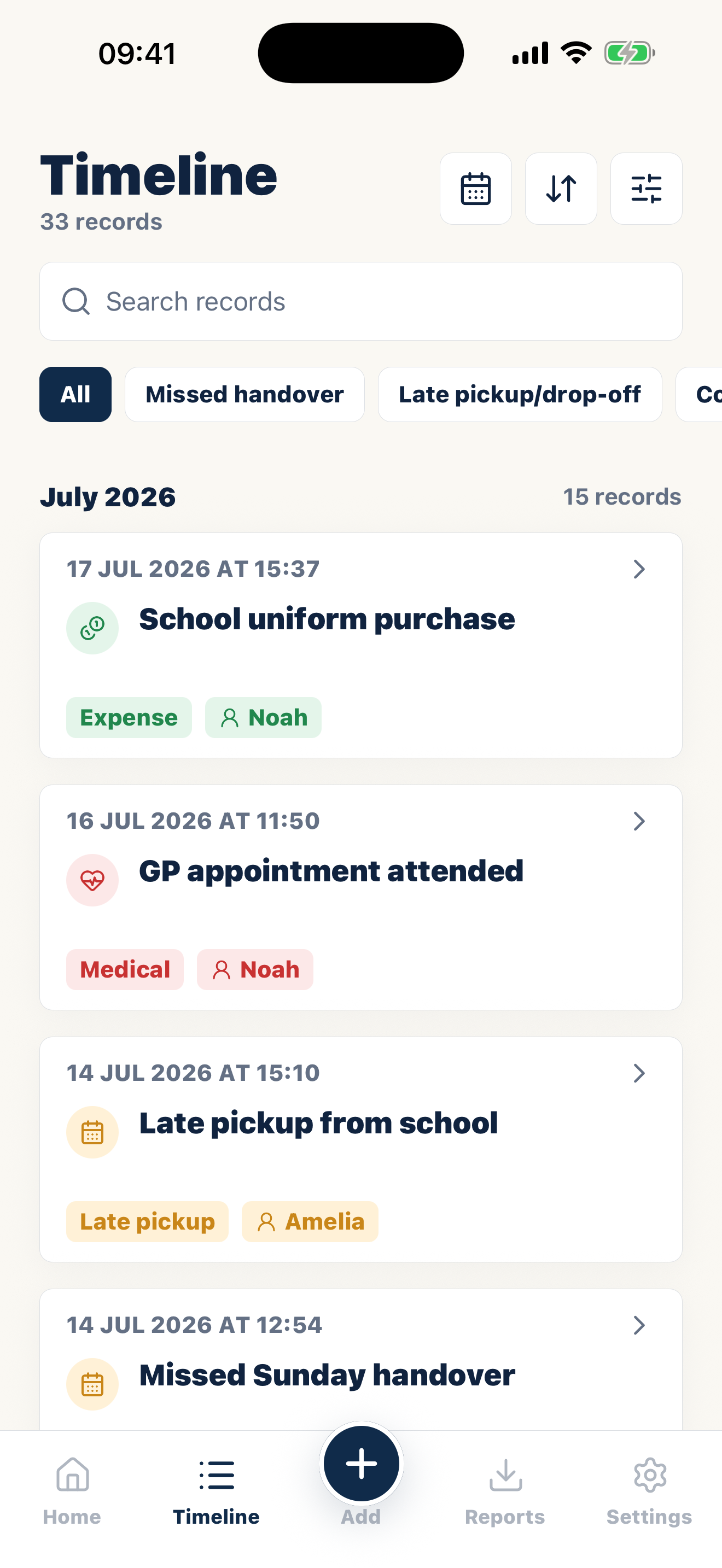
Review records chronologically and use categories, dates and children to narrow a long history to the events you need.

Find relevant events by category, date or child.

Evidence beside the event

Keep photos, receipts and other supporting files with the entry they relate to instead of leaving context scattered across different apps.

Keep photos, receipts and files with the event they support.

Saved entry history

When material details change, Casewell keeps the earlier version and shows when the entry was updated, so later corrections do not silently replace the record.

Keep earlier versions and see when an entry changed.

Private by design

Your journal is for your own documentation. A co-parent does not need to join, collaborate or receive access to your private record.

No shared account and no automatic co-parent access.

Inside Casewell

Built for everyday documentation. Ready for professional review.

Searchable timeline

Searchable timeline

Review records chronologically and use categories, dates and children to narrow a long history to the events you need.

Optional factual rewrite

Optional factual rewrite

Start in your own words, then use Make factual to produce a clearer, more neutral draft. The original remains available and you decide whether to accept the change.

Focused reports for professional review

Focused reports for professional review

Choose the records that matter and create a readable PDF with event dates, saved revisions and linked supporting material, ready to take into a conversation with a solicitor, mediator or other professional.

A complete workflow

From a fresh event to a reviewable report.

01

Capture

Add the event while details are fresh, using the prompts to record times, arrangements and observable outcomes.

02

Review

Check the wording, add supporting files and correct omissions without silently replacing the history of the entry.

03

Export

Filter the timeline to the relevant period or topic, then create a PDF for your own review or a professional conversation.

Designed for documentation—not communication

Casewell is not a shared messaging platform and it does not attempt to manage the other parent. It is a private place to build a consistent record. This keeps the interface focused on dates, events, sources and reports rather than chat threads.

What Casewell does not decide

The app cannot determine whether a record is admissible, prove a disputed claim or replace legal advice. It helps you preserve and organise information so an appropriate professional can assess it in context.

FAQ

Questions before you start.

What makes records court-ready?

Court-ready records are organized, dated, factual, and easy for a professional to review.

Will the court automatically accept records from an app?

No. The app can help you prepare documentation; the court or professional decides what is relevant.

Should records be stored privately?

Yes. Personal documentation is most useful when you control it. You keep your own records rather than sharing an account with the other parent.

Written on the hard days.
Ready for the day it matters.

Every entry becomes part of a clear, court-ready PDF.