
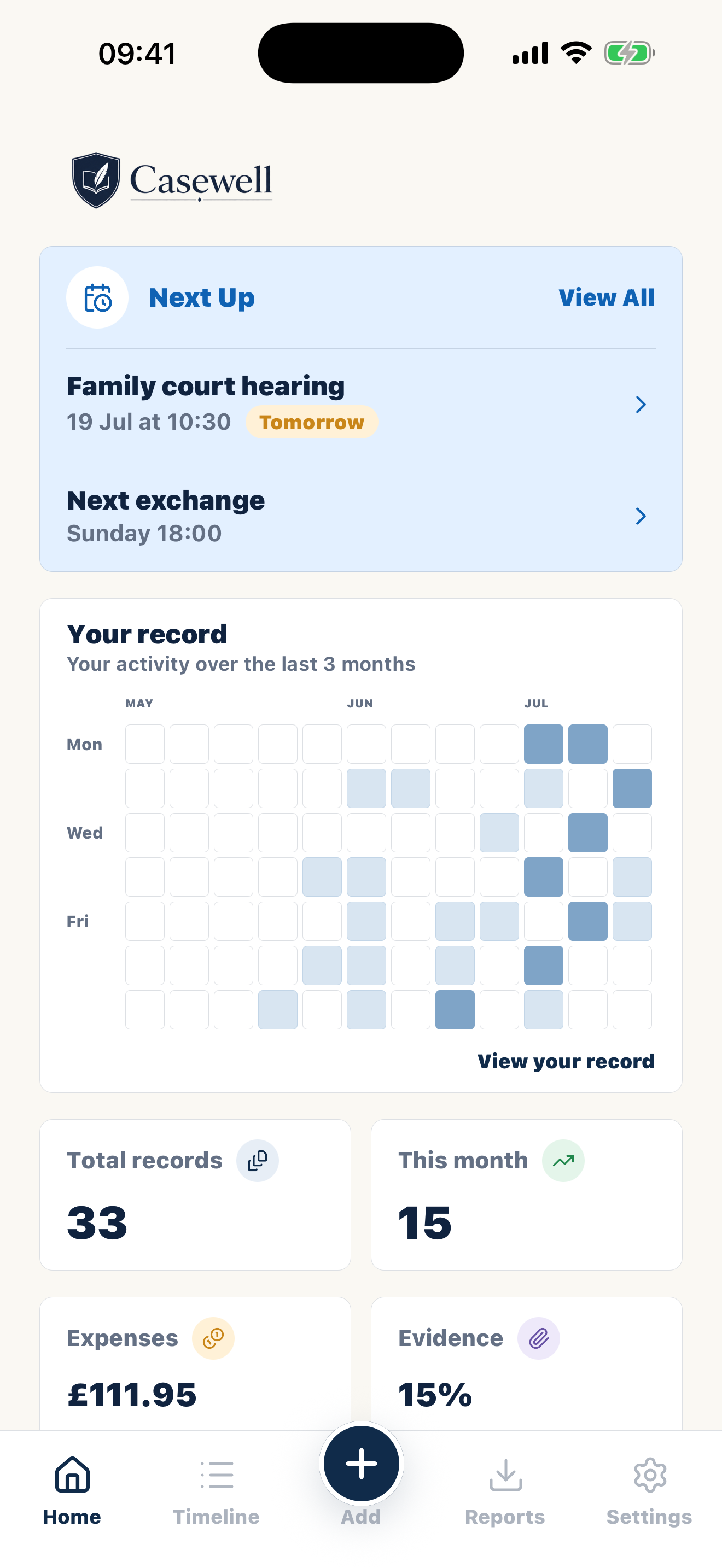
Nothing shared, nothing to derail
No joint account, no invitation, no visibility. Casewell works completely without the other parent's cooperation — which in high-conflict situations is the entire point.
Private custody journal
In high-conflict situations, a shared app is one more surface to fight on. Casewell is the opposite: a private, locked documentation space on your side only — where provocations get recorded instead of answered, and the factual pattern builds quietly until a professional needs it.

14 days free · Cancel anytime · Private by design
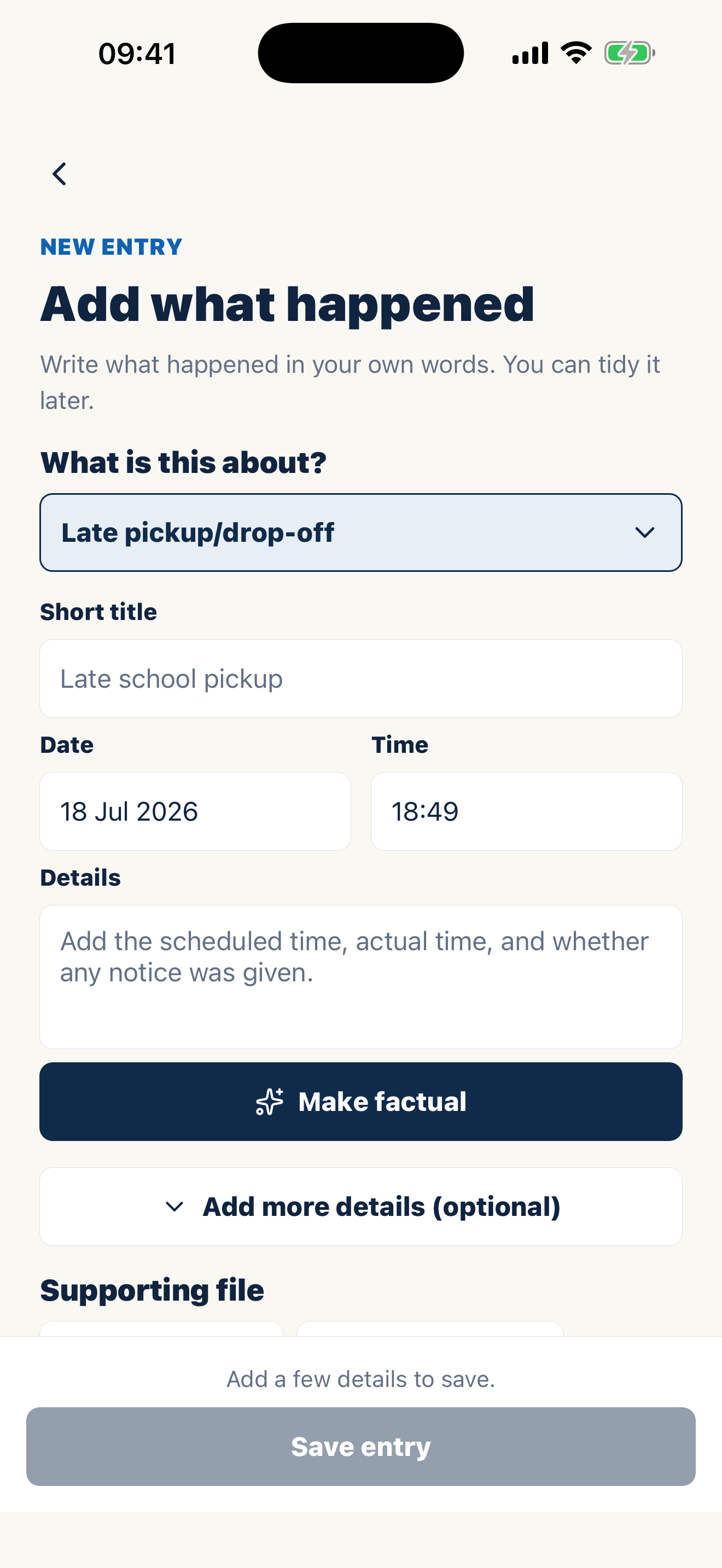
A clearer way to prepare
Come to court ready, not stressed.
Turn messages, receipts and everyday notes into a clear solicitor-ready record.
New record
Pickup was scheduled for 5:00pm. The other parent arrived at 5:42pm.
Report ready
Ready for your solicitor or lawyer to review.
Built around real routines
No joint account, no invitation, no visibility. Casewell works completely without the other parent's cooperation — which in high-conflict situations is the entire point.
The optional neutral rewrite takes a heated draft and suggests calm, factual wording. You approve every line, so the record stays yours — just usable.
Records live in an encrypted vault behind your passcode and Face ID, with a privacy shield in the app switcher. A journal only protects you if it stays private.
Months of dated entries — exchanges, communication, expenses, wellbeing observations — export as filtered, professional PDFs your attorney can absorb in one sitting.
Inside Casewell
Casewell is where it all goes — dated the moment you write it, organised by child and category, ready to export when someone asks.
See your records as a timeline or simple activity calendar. Filter by date, child, or category to find what you need.
Optional AI can turn your note into clear, neutral wording. You review and approve every change.
Each report clearly shows when something happened, when you wrote it down, any later edits, and the proof attached.
Common records
Optional AI can turn your note into clear, neutral wording. You review and approve every change.
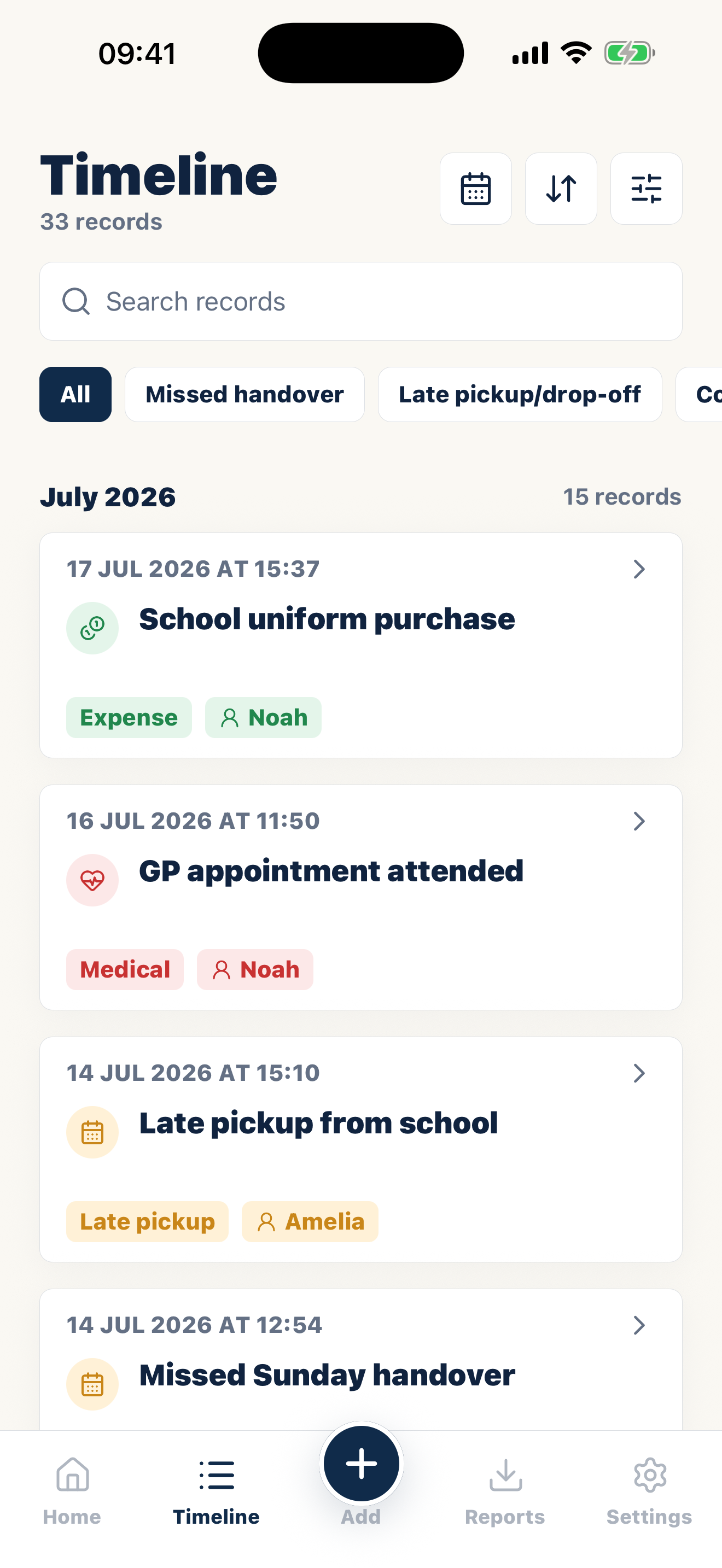
See your records as a timeline or simple activity calendar. Filter by date, child, or category to find what you need.
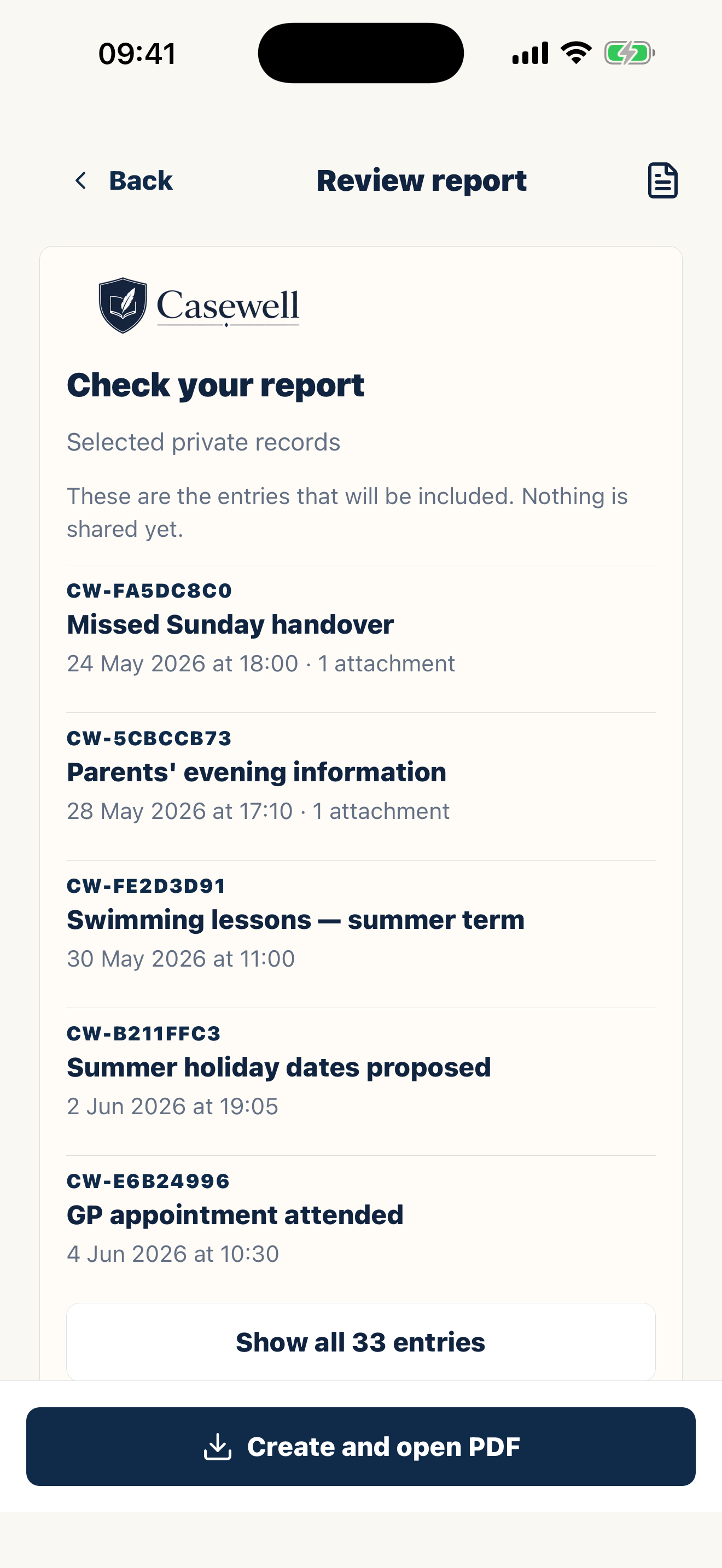
Each report clearly shows when something happened, when you wrote it down, any later edits, and the proof attached.
No. Casewell is a private custody journal for your own records. There is no shared account, messaging feed, or approval step.
Yes. Casewell records when each entry is added, separately from the date the event happened. If you edit an entry later, the PDF says so and Casewell keeps the earlier version.
Your timeline and imported files are encrypted and stored on your device by default. Casewell does not share them with your co-parent or anyone else unless you choose to export or share a report.
FAQ
Casewell is a record-keeping app, not a law firm. It helps you keep clear, dated records and turn them into court-ready PDFs for a solicitor, mediator, adviser, or your own use.
Casewell helps you create clear, dated, factual documentation that is easier for a professional to review. A court or professional still decides what is relevant or accepted.
Common records
Every entry becomes part of a clear, court-ready PDF.
Casewell does not provide legal advice or guarantee professional acceptance.