
What the court wants
Dates, times, places, and what was agreed — stated factually, in order.
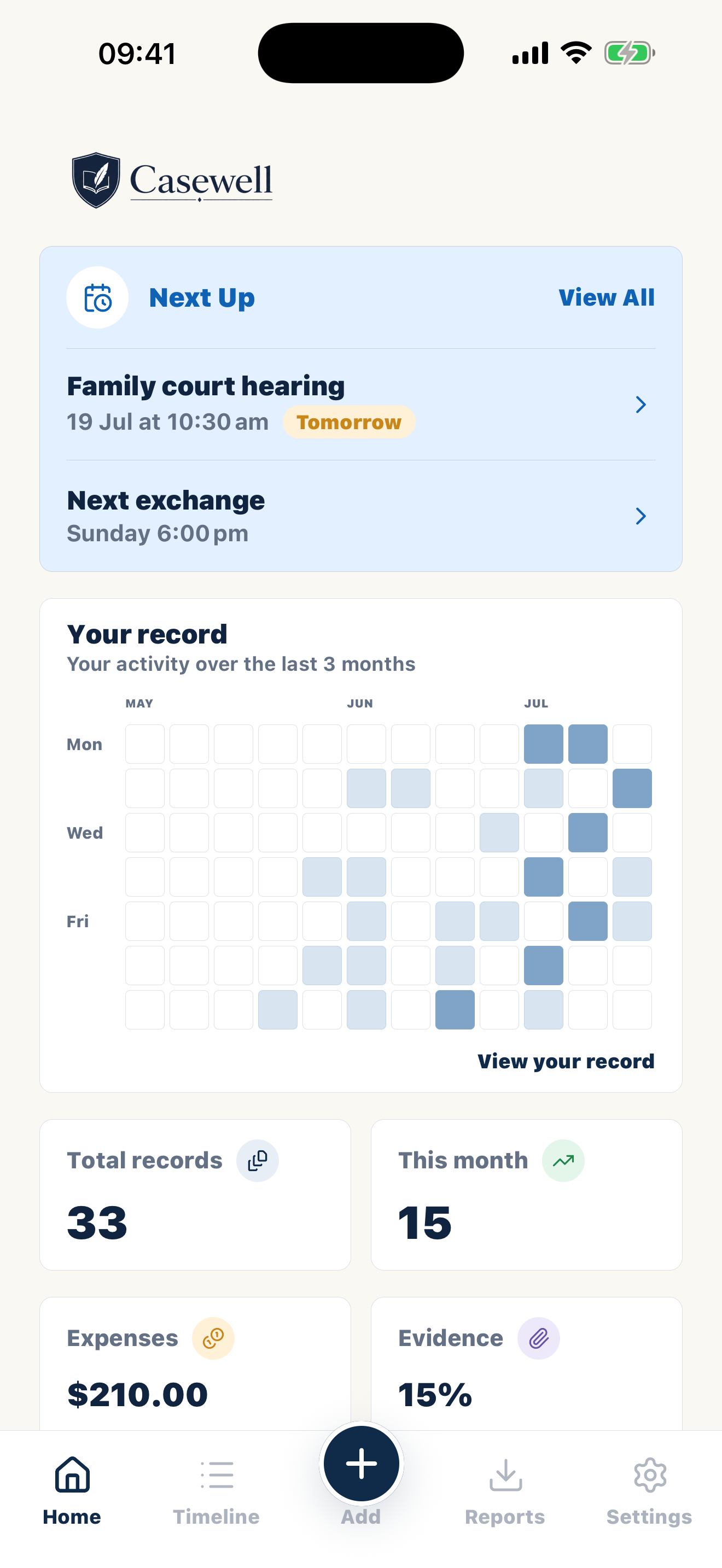
Bring changeovers, parenting time, messages, child expenses and supporting files into one private chronology, ready for a focused professional review.


14 days free · Cancel anytime · Private by design
As seen on
 The Divorce Magazine
Australian guide
Start with the parenting order, parenting plan or written agreement actually in force. Casewell then keeps the planned arrangement, the event, the recorded time and the supporting file on separate, readable layers.
Australian federal family law provides the broad framework, while Western Australia and some related processes have distinct pathways. The app organises a working history; it does not turn a private note into an affidavit, annexure or court finding.
A broad private archive can show ordinary weeks as well as difficult ones. For a lawyer, mediator or other professional, select only the sequence needed for the present conversation and keep the remaining context safely on your side.
The advice everyone gets
Your lawyer wants a timeline. The court wants dates, times, and facts. Right now it's screenshots in your camera roll, receipts buried in email, and the rest carried in your head.
Casewell is where it all goes — dated the moment you write it, organised by child and category, ready to export when someone asks.
Dates, times, places, and what was agreed — stated factually, in order.
A timeline they can read in minutes, with the proof attached to each entry.
To write it down once, in one place, and stop carrying it all in your head.
Inside Casewell
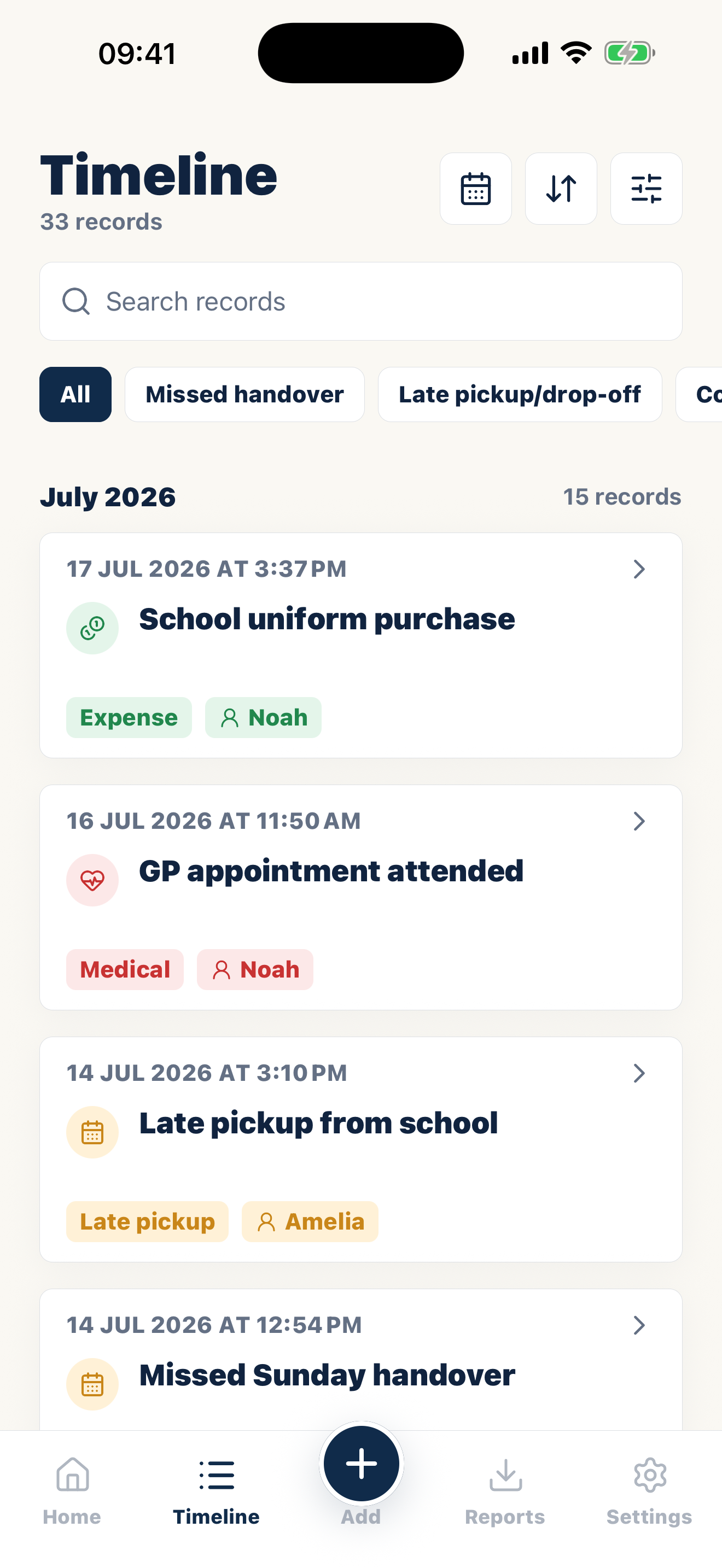
See your records as a timeline or simple activity calendar. Filter by date, child, or category to find what you need.
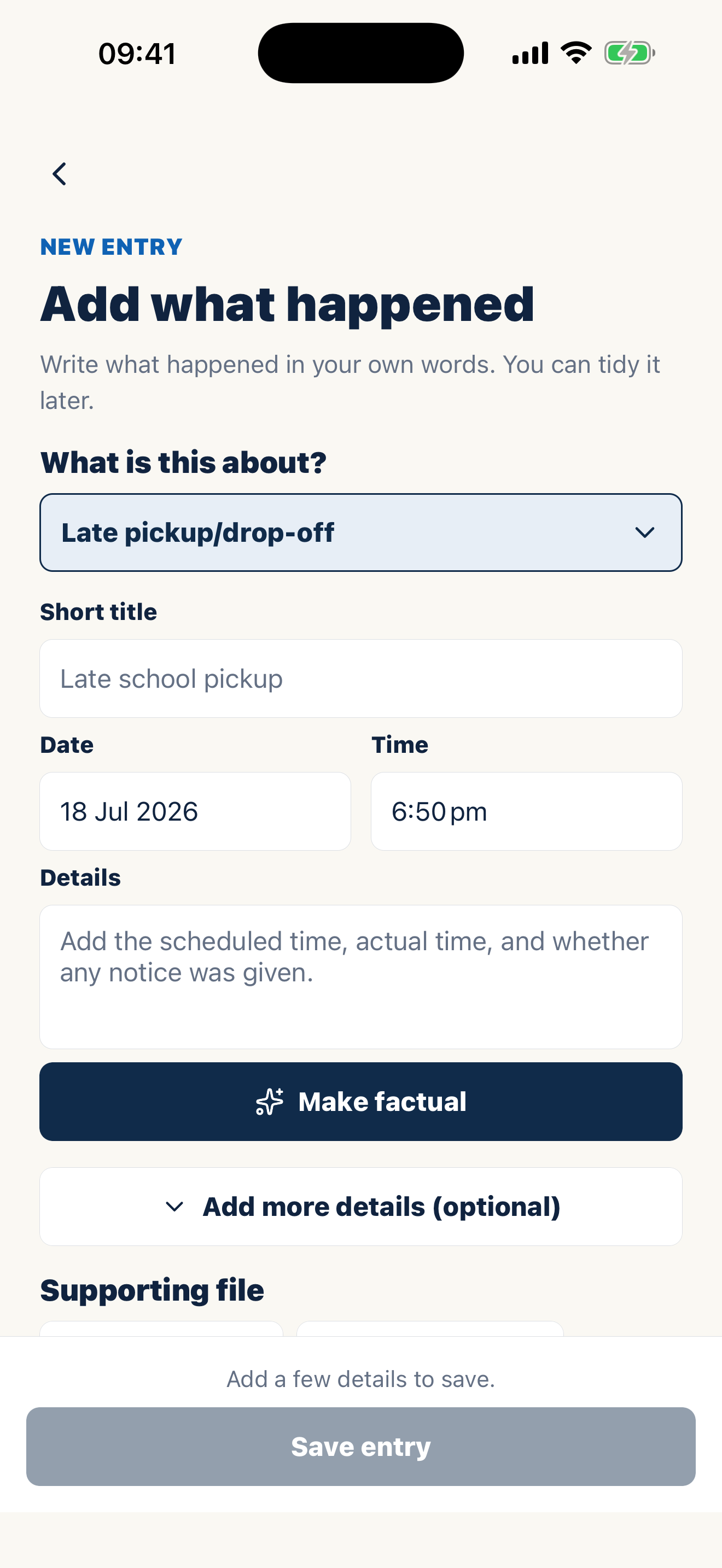
Optional AI can turn your note into clear, neutral wording. You review and approve every change.
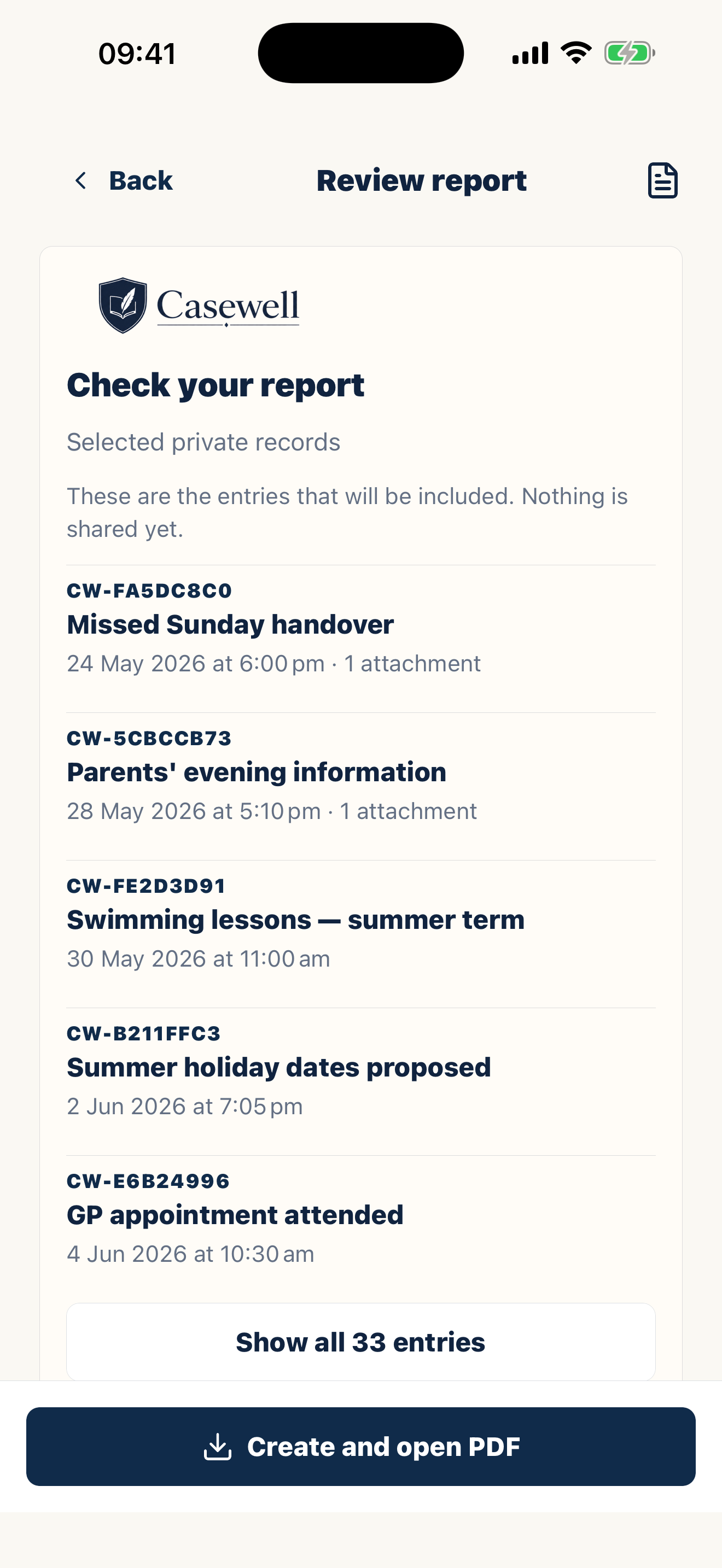
Each report clearly shows when something happened, when you wrote it down, any later edits, and the proof attached.
Built around real routines
Add your usual exchange days and receive a private prompt afterwards, while the details are still fresh.
Write down an agreement once, then link any entry where what happened was different.
Keep the receipt, who paid, what you asked to be repaid, how much was repaid, and what is still owed together.
Common records
Use Casewell for missed handovers, late pickups, parenting time changes, expenses, child-related incidents, communication issues, and anything else you may need to explain clearly later.
If it has already started
You do not need the full history written up tonight. You need a starting point.
Start with the events you remember, most recent first. Casewell lets you mark a date as approximate — a dated account now is worth more than a perfect one later.
Screenshots, messages, receipts, and photos are scattered across your phone. Import them and attach each one to the event it belongs to.
Set up exchange check-ins so every handover gets a note while the details are fresh. The record you build between now and the hearing is the one that matters.
Pricing
One plan includes unlimited records and files, exchange reminders, agreements, expense tracking, court-ready PDF reports, app lock, and optional AI rewriting.
Casewell Premium
or A$79.99/year
Starts with 14 days free. Local App Store pricing applies. Cancel anytime in App Store settings.
FAQ
Casewell is a record-keeping app, not a law firm. It helps you keep clear, dated records and turn them into court-ready PDFs for a lawyer, mediator, adviser, or your own use.
Casewell helps you create clear, dated, factual documentation that is easier for a professional to review. A court or professional still decides what is relevant or accepted.
No. Casewell is a private custody journal for your own records. There is no shared account, messaging feed, or approval step.
You choose which records to include. Your PDF can show what happened, when it happened, when you wrote it down, later edits, notes, agreements, proof, expenses, and a simple record activity calendar.
Yes. Casewell records when each entry is added, separately from the date the event happened. If you edit an entry later, the PDF says so and Casewell keeps the earlier version.
Your timeline and imported files are encrypted and stored on your device by default. Casewell does not share them with your co-parent or anyone else unless you choose to export or share a report.
Every entry becomes part of a clear, court-ready PDF.
Casewell does not provide legal advice or guarantee professional acceptance.