
Set a clear scope
Choose the child, category, and dates before you export so the report has an obvious purpose.
Court-ready PDF reports
Choose a date range, child, or category, review the entries, then export a clear pack for a solicitor, mediator, or your own preparation.

14 days free · Cancel anytime · Private by design
A clearer way to prepare
Come to court ready, not stressed.
Turn messages, receipts and everyday notes into a clear solicitor-ready record.
New record
Pickup was scheduled for 5:00pm. The other parent arrived at 5:42pm.
Report ready
Ready for your solicitor or lawyer to review.
From private archive to review pack
Keep the complete history private, then select the records that explain the particular question, date range, or pattern being reviewed.
Choose the child, category, and dates before you export so the report has an obvious purpose.
Show events in date order with the note, source material, and any later update kept together.
Leave unrelated records in your private archive instead of making a professional search through everything.
The result is a shorter, traceable pack that is easier to review and easier to discuss.
Build the report
Casewell turns report preparation into a short review process rather than a last-minute document project.
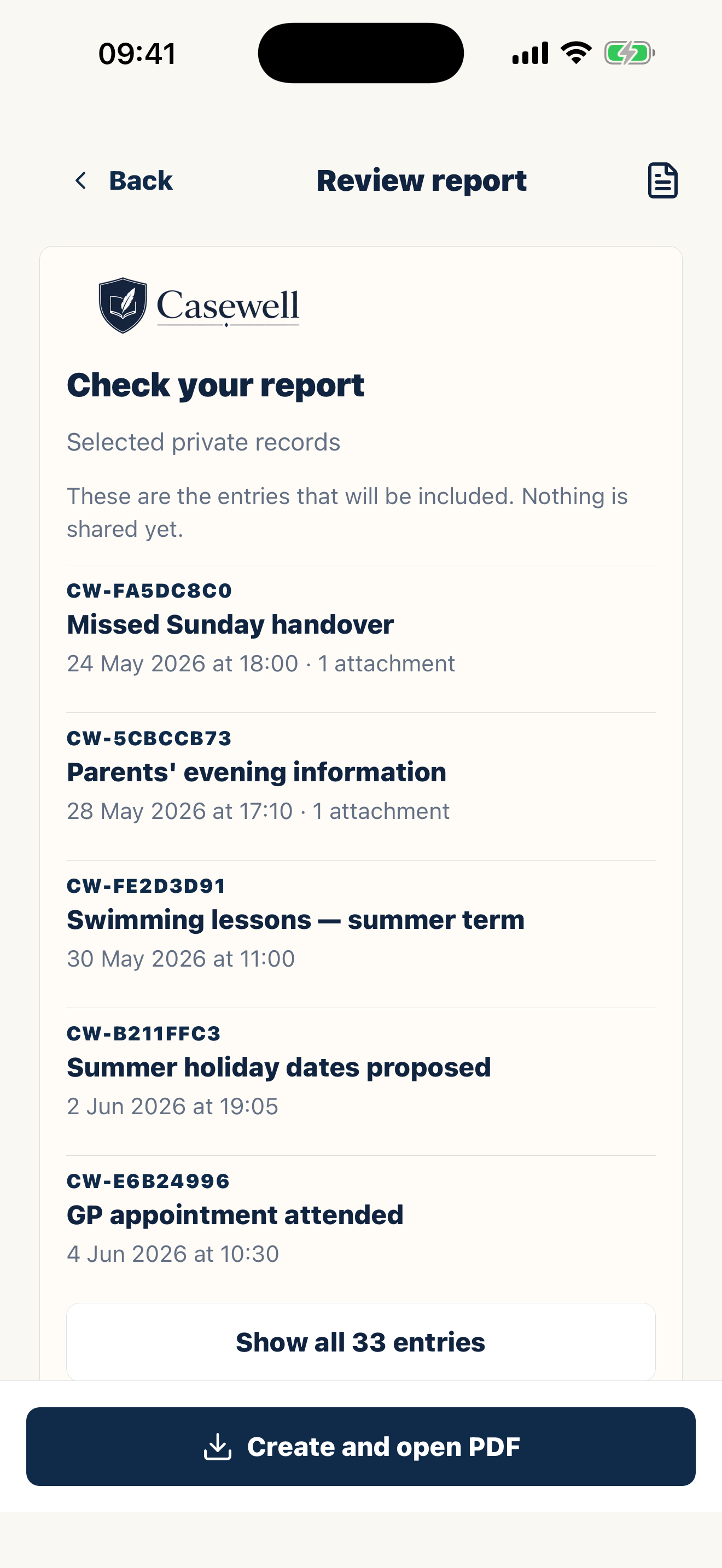
Select the relevant dates, child, and record categories.
Check names, times, attachments, and later edits before anything leaves your device.
Generate one organized document containing only the records you selected.
What the report is built from
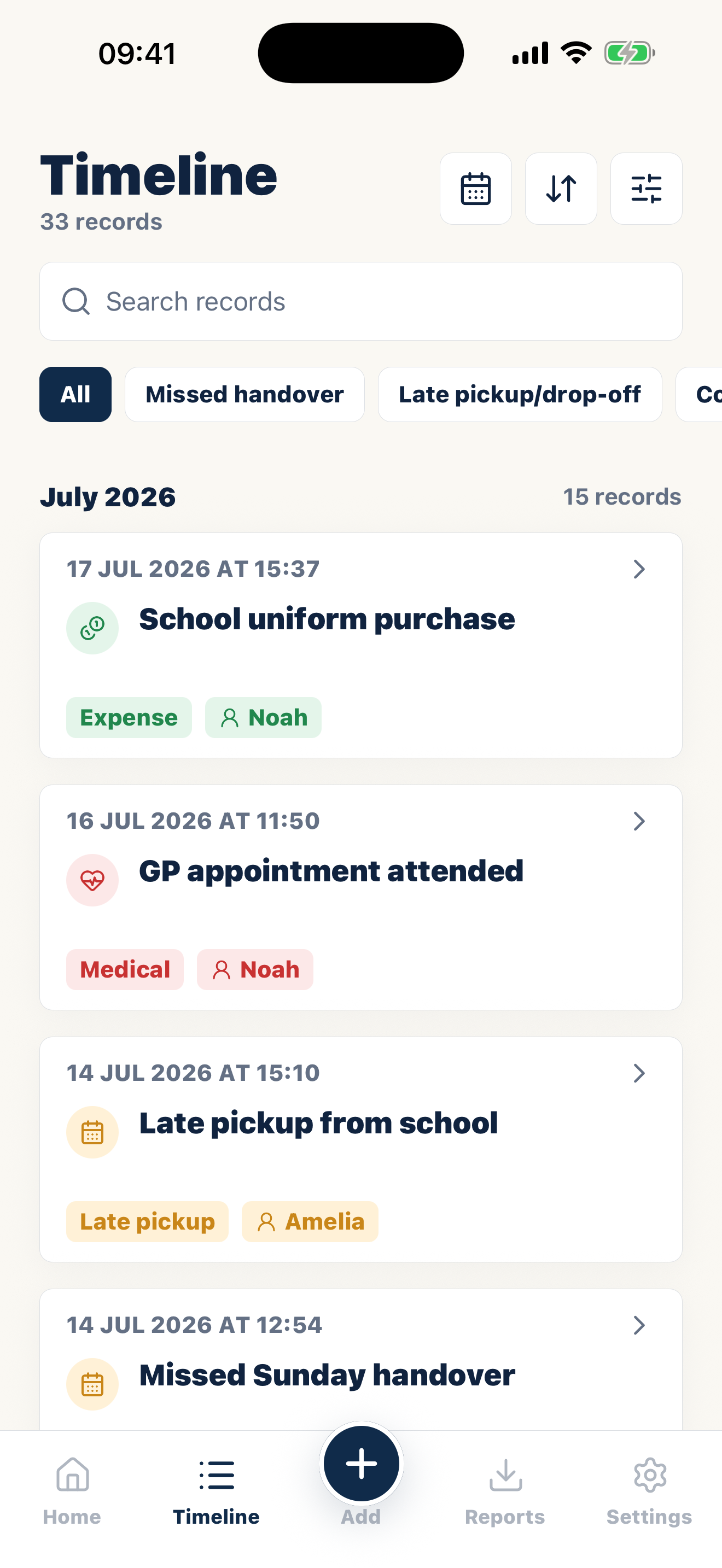
Use the timeline to isolate the period and events that answer the question being reviewed.
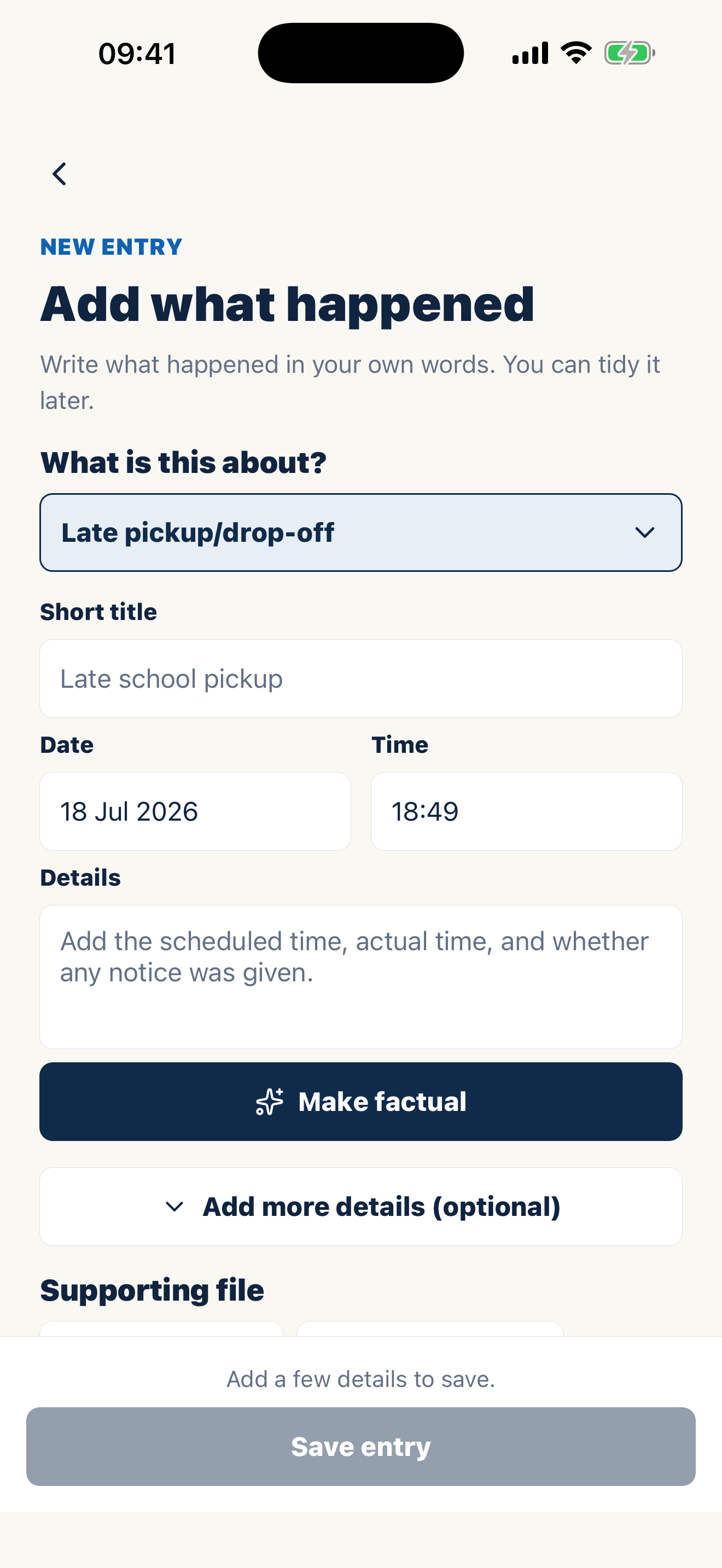
Dates, factual notes, and supporting files stay connected instead of becoming separate piles.
Review the selected entries and export a pack that is ready for a professional conversation.
Your full archive stays on your side. Creating a report does not notify or involve your co-parent.
Clear dates, categories, and source material help a solicitor, mediator, or adviser understand the sequence faster.
Casewell organizes the records you choose. A qualified professional or court decides what is relevant, admissible, or appropriate to file.
FAQ
Yes. Filter by date, child, or category and include only the records relevant to the review.
A report can include the selected entries, event dates, recorded dates, categories, notes, expenses, attachments, and later edits.
No. Casewell helps organize records; it does not decide relevance, admissibility, filing requirements, or local evidence rules.
Common records
Keep the full record private, then export only what the next conversation needs.
Casewell does not provide legal advice or guarantee professional acceptance.