Co-parenting app comparisons
Some apps are shared with your co-parent. Others are a private record just for you. These comparisons help you work out which kind you need, then which app.
- 7 comparisons
- Free to read
- Shared and private apps

| Casewell | Shared apps | |
|---|---|---|
| Who uses it | You | Both parents |
| Co-parent joins | Not needed | Required |
| Main job | Your dated record | Messages, calendar |
| Who pays | One subscription | Often each parent |
Which comparison do I need?
- A court ordered you onto OurFamilyWizardCasewell vs OurFamilyWizard
- Your co-parent won't use a shared appCasewell vs shared co-parenting apps
- OurFamilyWizard costs more than you want to payOurFamilyWizard alternatives
- You're weighing up TalkingParentsCasewell vs TalkingParents
- You want a shortlist of journal appsBest custody journal apps
Shared app or private record?
Start here if you're not sure which kind of app you need.
Casewell vs shared co-parenting apps
Shared apps handle messages between two parents. Casewell is your own record. See which problem you're solving, or whether you need both.
Read comparisonBest custody journal apps
Six apps compared on privacy, files, PDF exports and price, with a quick pick for each situation.
Read comparisonHead to head
Casewell next to the two platforms courts order most.
Casewell vs OurFamilyWizard
OurFamilyWizard is shared messaging a court can order. Casewell is your private record. How to tell which you need, and when to use both.
Read comparisonCasewell vs TalkingParents
TalkingParents keeps a shared record that can't be edited. Casewell keeps your own. A side-by-side look and a simple way to choose.
Read comparisonLooking for an alternative
The right switch depends on why you want to leave.
OurFamilyWizard alternatives
Leaving because of cost, a co-parent who won't join, or because you need records more than messages? The best switch depends on the reason.
Read comparisonTalkingParents alternatives
Six alternatives compared by cost, fit and whether both parents have to take part.
Read comparisonBefore you choose
What any app should do if your records may be reviewed.
Questions parents ask
Should I stop using OurFamilyWizard or TalkingParents?
Not if a court ordered it. Keep using the ordered platform exactly as directed. Casewell can sit alongside it as your own record of what happens outside the app.
What's the difference between a shared app and a custody journal?
A shared app is where both parents send messages, share a calendar and split costs. A custody journal is your own dated record of events, expenses and proof.
Does my co-parent need to join Casewell?
No. Casewell is one parent's own record, so it depends on no one else's cooperation. You choose what to export and who sees it.
Do both parents pay for a shared app?
Often, yes. OurFamilyWizard, for example, charges each parent for their own account. Casewell is one subscription, paid by the parent who uses it.
Which comparison should I read first?
If you're not sure you need a shared app at all, start with Casewell vs shared co-parenting apps. If you already know, go straight to a head-to-head or alternatives page.
Related pages
Try the private record free for 14 days
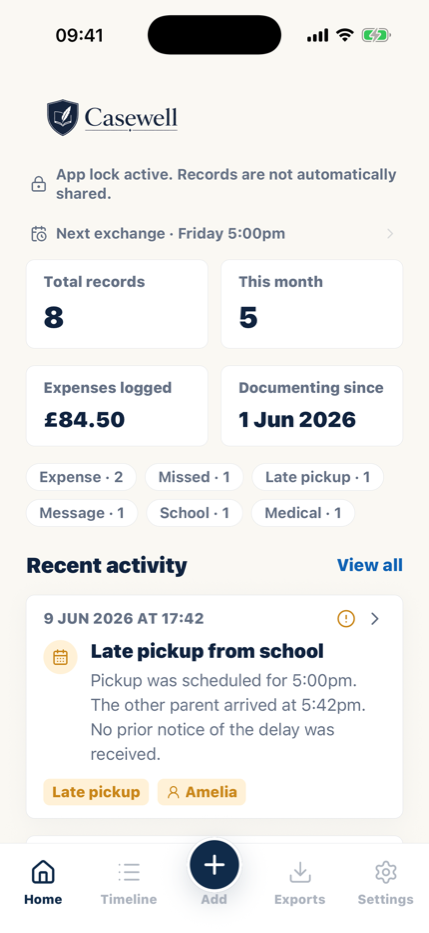
Casewell is your own custody journal on your phone: dated notes, proof attached, expenses tracked and one clear PDF when you need it. Your record is yours alone and depends on no one else's cooperation.


14 days free · Private by design