Log planned and actual time
Capture pickups, drop-offs, changes, cancellations, missed time, and make-up time.
Parenting time records
Private, balanced records for Canadian families, with dated entries, source files and focused PDF exports for a lawyer or mediator.
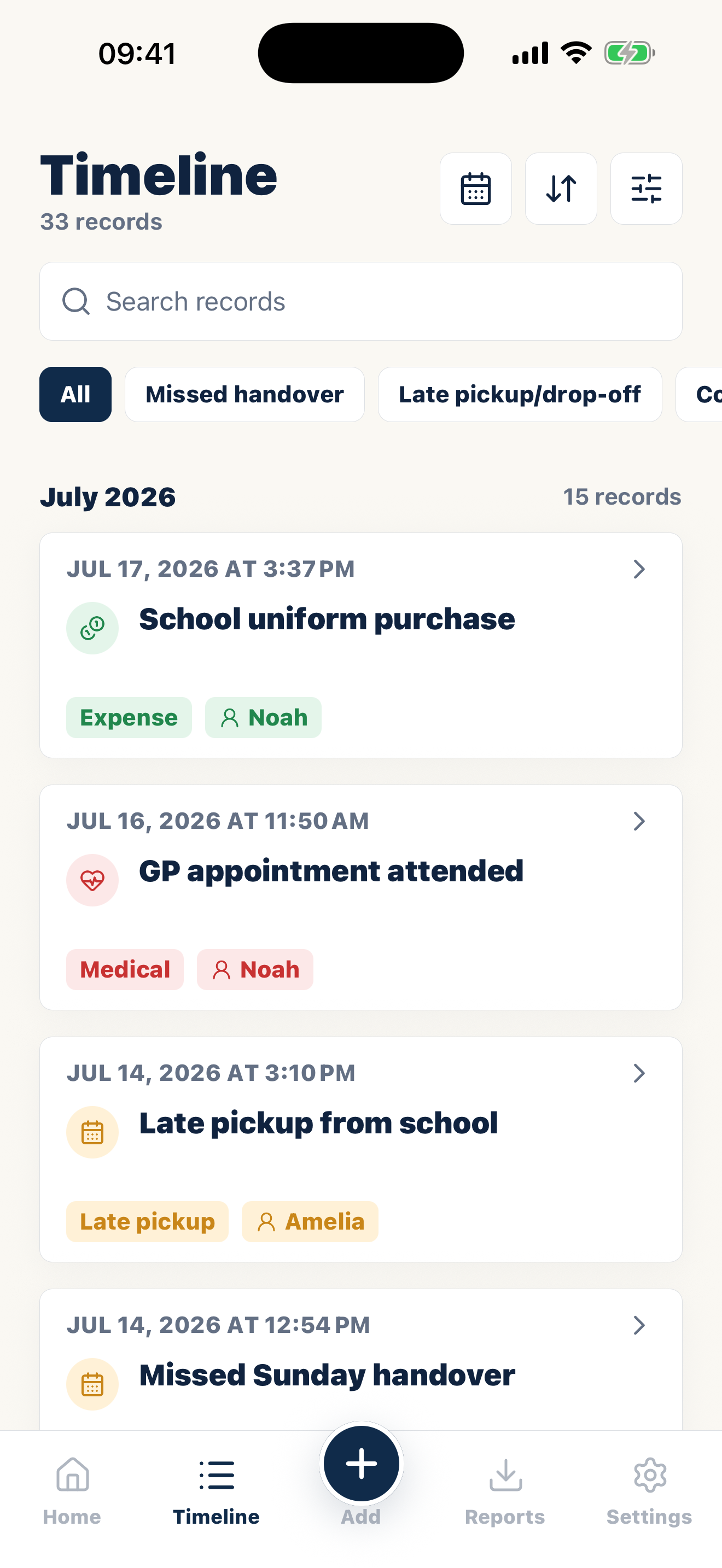
Capture pickups, drop-offs, changes, cancellations, missed time, and make-up time.
Attach messages or notes that explain why a change happened.
Use PDF exports to review parenting time records by date, child, or category.
What this means in Canada
A useful Canadian record keeps the parenting arrangement, the observed event and the supporting source on separate layers. Preserve context, note later developments and leave room for contrary facts.
Federal, provincial and territorial family-law rules can interact, and procedure differs across the country. Do not assume that one province's terminology or process applies nationally. A family lawyer in the relevant province or territory can assess the legal use of a focused export.
When sharing is appropriate, use a working copy containing the governing document, a neutral chronology and the decisive originals. Keep the broader private history available for follow-up questions.
A record you can reconstruct later
Quick checklist
How it works
Start with the scheduled pickup, return, overnight, or care period.
Capture the time that occurred, including cancellations, late returns, and make-up time.
Attach the message or note that shows whether a change was requested, agreed, or disputed.
Common questions
Casewell helps organize information. It does not decide what is legally relevant or replace advice from a qualified professional.
A calendar shows what was planned. A parenting time log records what actually occurred and keeps later changes or explanations with that event.
Yes. Record the missed or changed period and connect any agreed make-up time so both parts remain visible.
Casewell lets you review and export records by date, child, or category.
Common records
Build a private, dated record and export the entries you choose when they are needed.
Casewell does not provide legal advice or guarantee professional acceptance.

14 days free on iPhone and Android.
Download on the App Store Get it on Google Play